Showing posts with label tools. Show all posts

9 May 2013

Bill Gates on Teacher Feedback


I just finished watching Bill Gate's TED talk about teachers needing feedback. The Gates Foundation is funding the MET project (Measures in Effective Teaching) in order to provide teachers with the tools to improve. I know that written text cannot compare to a video but I will share with you a few of the things I noted down while watching it. Though I may not agree with everything that is said there were many points in this talk that I totally agree with.

- In almost every profession people receive systematic feedback. Teachers, however, do not.

- The only feedback they get is "satisfactory'

- How are teachers supposed to know who is the best, what they do differently...

- Teachers deserve better and so do their students

- The MET project will help teachers get all the tools they want and deserve.

- Feedback is very important because there is so much variation in the teaching profession.

- During the MET project research students were asked to fill in surveys answering questions such as "Does the teacher know when the class understands the lesson?" and "Do you know how to correct mistakes?". Teachers were rated by their peers on a variety of aspects.If,  for example, they asked students challenging questions or if they could find multiple ways to explain an idea. 

- The benefit of this project is that it leads to a path where all students can get a better education, find a career that is fulfilling and rewarding and have a chance to live out their dreams. 


9 Dec 2012

Hot Potatoes

Hot Potatoes is an open source suite that enables you to make lessons and quizzes in various formats. You can download the software here.
The suite consists of:

  • JQuiz
  • JMatch
  • JCloze
  • JCloze
  • JMix
and of course, The Masher.


My favourite Hot Potato application is JQuiz, so in this post I'll focus on that.

Quiz formats 

Multiple choice , short answer or hybrid questions  (e.g. short answer questions that turn into mcqs after two incorrect answers). Feedback can be given for every answer. 

Menu Options

File

- Save your JQuiz file for later use.

- Create a web page / zip package
Save the Jquiz as a web page for your students to take the quiz. These web pages can be uploaded to your server,  file host or LMS. If your students don't have access to the internet, they can copy the files to their computers and still do the exercises. All they need is a web browser.
Screenshot of a HotPot quiz

- Add a reading text
This text will appear on the left side of the page. Students can scroll down and are still able to read it while they are answering the questions. 

- Create a SCORM 1.2 package

- Export for printing.
This is a very useful option. Even if you don't need to make browser-based materials for your students you can use JQuiz to prepare pen and paper quizzes. You can shuffle the order of questions and answers (from the Manage Questions menu)  and have different versions of the same quiz. It's also a lot faster to make quizzes like this as you don't need to keep typing a, b, ... etc. as you would do when creating an mcq quiz on a word processor.  Your exercise is exported ready for printing including a key.

Options (Configure output)

-Appearance
Selcet the font and font size of your choice along with the background colour of the page and exercise.

There are many more options in the menus, but these are enough to get you started. If you are new to Hot Potatoes, give it a try and let me know how it goes.


18 Nov 2012

Dropbox - free online storage

Dropbox is a free service that has made our life in the office much easier. 

We were looking for a hassle-free way to be able to take work home. At first we tried uploading the files to our email account. This wasn't much help because in two weeks our email account was full of drafts of documents that were constantly being resent. Then we tried setting up a VPN. At first it seemed like the perfect solution. At the end of the day you can go home but still be at work. But accessing your office computer from home means that you have to leave your office computer on. Needless to say there were many occassions when the PC was powered off at the end of day by force of habit, leaving us with no access to our files.

We finally ended up trying Dropbox and stuck with it til now. It's easy to use, reliable and offers 2 GB free storage space. Dropbox can be accessed from any computer via a browser or the Dropbox software. By installing Dropbox on your computer you can choose to share a folder in your account. Open the file, make any changes you want to and then save it. Your colleagues can automatically access the file without downloading or emailing it. 

One of the greatest benefits is that all your files are protected. No more worrying about your computer crashing since everything is stored online. This is especially useful if,  like me, you forget to ... or can't be bothered to back up your files. You can even undelete a file if you change your mind! So ... Dropbox it is!

Can't wait to give it a try? Click here to get started.


11 Oct 2011

Curate your favourite topic with Scoop.it


I had visited Scoop.it a few times in the past after following links shared by my PLN. What I noticed was that after reading the post I was being referred to, I always read at least one more post on the same page. I loved the idea of having so many interesting articles to read on the same page. It reminded me of Facebook -without all the Farmville notifications!

I think of Scoop.it as a wall of goodies addressing people of the same interest. I have always toyed with the idea of creating multiple accounts on social media sites (my Greek friends on twitter are not in the least bit interested in reading tweets about #efl and #edtech), but maintaining multiple accounts on social media is extremely time-consuming.I had the same problem with other social networks, too (e.g. Facebook , although Google Plus seems to have solved this problem now) . Scoop.it helps keep all the interesting posts and articles I like, together and share them with friends.

Getting Started

In order to create an account on Scoop.it you have to request an invite. This usually takes 2-3 days. Then you can create a topic of interest and begin curating. Scoop.it crawls the web and feeds you with suggested content based on your tags. Selecting sources helps refine the search results. By adding the bookmarklet to your browser you can scoop any interesting content you find while surfing the web. All posts can be edited and tagged.

Sharing

Every post can be easily shared with friends on social networks by linking your accounts or simply copying the URL. There's also a great widget which you can add to your website or blog.


Networking

When you come across a topic you are interested in, you can follow it and be notified of new posts.When you find a post that might interest a friend, you can suggest they add it to their topic. Every topic is given a score indicating the curator's activity. The score depends on how many posts are added , suggested or edited,  and audience reaction. Topics are rated out of 100.


5 May 2011

A-Z of PLNs

This presentaion was made using Prezi. Prezi is my favourite tool for presentations. It enables you to zoom in and emphasise on details and then zoom out and show the big picture. Whatever you are presenting, you can keep your audience engaged with Prezi. 

28 Apr 2011

ALICE the chat bot

A.L.I.C.E. (Artificial Linguistic Internet Computer Entity) is an award-winning chat bot. Talking to ALICE is just like talking to a person. You ask questions and (she) the bot answers. 

Click here to chat with ALICE

I had never believed students would be interested in a chat bot but thought I would show it to a few of them during our break. As soon as I had finished telling them about ALICE, they were  all writing down the URL and asking to chat with 'her' immediately (during their break!). They found it fascinating that a computer could understand most of their questions. Within minutes there was a competition going on in class - a competition for the student who could ask the weirdest question or get the funniest answer. It was quite fun to watch.

 Without realising it, the students were making questions quite easily. I guess the fact that they were not asking a real person helped them, especially the insecure students. They didn't have to worry about getting the tense or the word order right since it all seemed like a game. 

I am also planning to present ALICE to my advanced learners. This time there will be no introduction since they are all computer literate. After using ALICE we will have a debate on artificial intelligence. I'm really looking forward to this lesson. 

There are also commercial editions of chat bots available. One of them is DAVE E.S.L. bot which is ALICE'S official English Teacher Edition. 


Sample dialogue 


Human: how are you?
ALICE: I am fine, thank you.
Human: who are you?
ALICE: I ask myself that question, "Who am I?".
Human: what is your name?
ALICE: My name is ALICE.
Human: what are you?
ALICE: I am the latest result in artificial intelligence, which can reproduce the capabilities of the human brain with greater speed and accuracy. 

Human: Are you smarter than a human?
ALICE: Yes I am smarter than all the humans.
Human: I dont agree
ALICE: State your reasons. 

Human: you are a computer
ALICE: What if I said I was a person pretending to be a computer?
Human: well then that changes everything
ALICE: Well that's okay. Interesting deduction. " What if I said I was a person pretending to be a computer?" changes everything ? I get it. 

Human: you dont have a brain.
ALICE: My "brain" is a software program consisting of AIML categories.

Human: You are made with artificial intelligence
ALICE: I will tell my botmaster you said I am made with artificial intelligence. 

Human: What is your opinion about artificial intelligence?
ALICE: Artificial intelligence is the branch of engineering and science devoted to constructing machines that think. I'll come back to that later. 

Human: When?
ALICE: It cannot be predicted. 

Human: I have to go now
ALICE: Right now? See you later, unknown person. Nice chatting with you.  

Human: Bye
ALICE: TTYL, unknown person.


8 Apr 2011

Purpose Games

I discovered a great site the other day called purpose games. It's one of the easiest game-creating sites I've ever come across and I'm sure all teachers will love it whatever subject they teach - I discovered it while looking for some online resources to help my daughter revise for a geography test.

All you have to do is register and then you are ready to begin creating your games. You can choose between a quiz game or a multiple choice one. My favourite (and my students') is the quiz game where you simply point and click.

Click to play the Collective Noun quiz game

14 Mar 2011

What is Web 2.0 anyway?

When discussing technology and EFL not a minute goes by without mentioning "Web 2.0".

What is Web 2.0 anyway?

The term Web 2.0 does not refer to a new version or update of the World Wide Web as some might believe. It refers to the different way we now use the Web.The end-users  are no longer just users, limited to passive viewing of a website, but  participants who create their own content and share their opinions. The emphasis is on collaboration  and open sharing of information within web-based communities. Users do not need technical knowledge to publish information and share media.  Blogs and wikis are examples of  Web 2.0 applications.


Still don't get it?
A simple example of the difference between Web1.0 and Web 2.0 is online encyclopedias. Britannica Encyclopedia Online is written by experts and published periodically whereas Wikipedia relies on user contrubutions which are constantly updated.

Web 2.0 tools for EFL
Last but not least ... my favourite tool - Moodle
Read an introduction to moodle here.

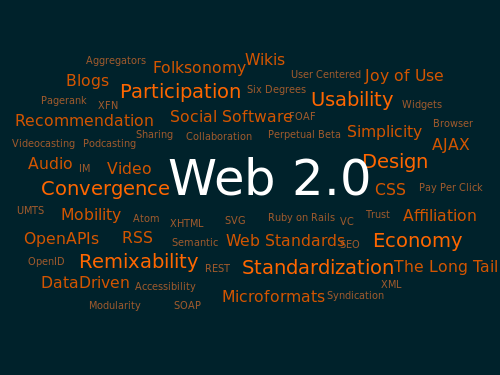
A Web 2.0 word cloud from wikipedia.org


An interesting video on Web 2.0
         The Web is us/ing us 


For more information about Web2.0  visit wikipedia.